Renewal dates surface too late
They live only in contracts and spreadsheets, so the renewal conversation starts a month out, with no time left to negotiate.

Revenue CRM for SaaS resellers
Contracts in a spreadsheet, renewal months in someone’s memory, margin in a separate sheet. This edition puts contracts, renewals, and recurring revenue in one place, and starts moving 90 days before each renewal.

The question is not “how much did we sell this month.”
It is “will it still be here next month.”
So the center is the contract. A deal ends when it is won; a reseller’s revenue starts there. Whether the contract is live, when it renews, and what margin it carries sit on the same screen as the deal.
New deployments and extra seats or licenses run in the same pipeline. When most revenue comes from existing customers, there is no reason to track them apart.
When you carry several products, margin rates differ. Each contract holds its rate, so you can sort by what you keep, not by revenue.
The problem
They live only in contracts and spreadsheets, so the renewal conversation starts a month out, with no time left to negotiate.
Low usage, fewer questions, a new contact on their side. You notice once the cancellation notice arrives.
How much is stacked up now, and which products carry the thicker margin, gets recounted every month.
The screens
Screenshots show the Japanese interface. The product switches to English, Japanese, or Traditional Chinese in one click.
Margin per plan, active and churned contracts, MRR, ARR, and LTV on one screen. No rebuilding the spreadsheet at month end.

Early warning on renewal dates, falling health, churn signals, and upsell candidates. Turned on as a set.
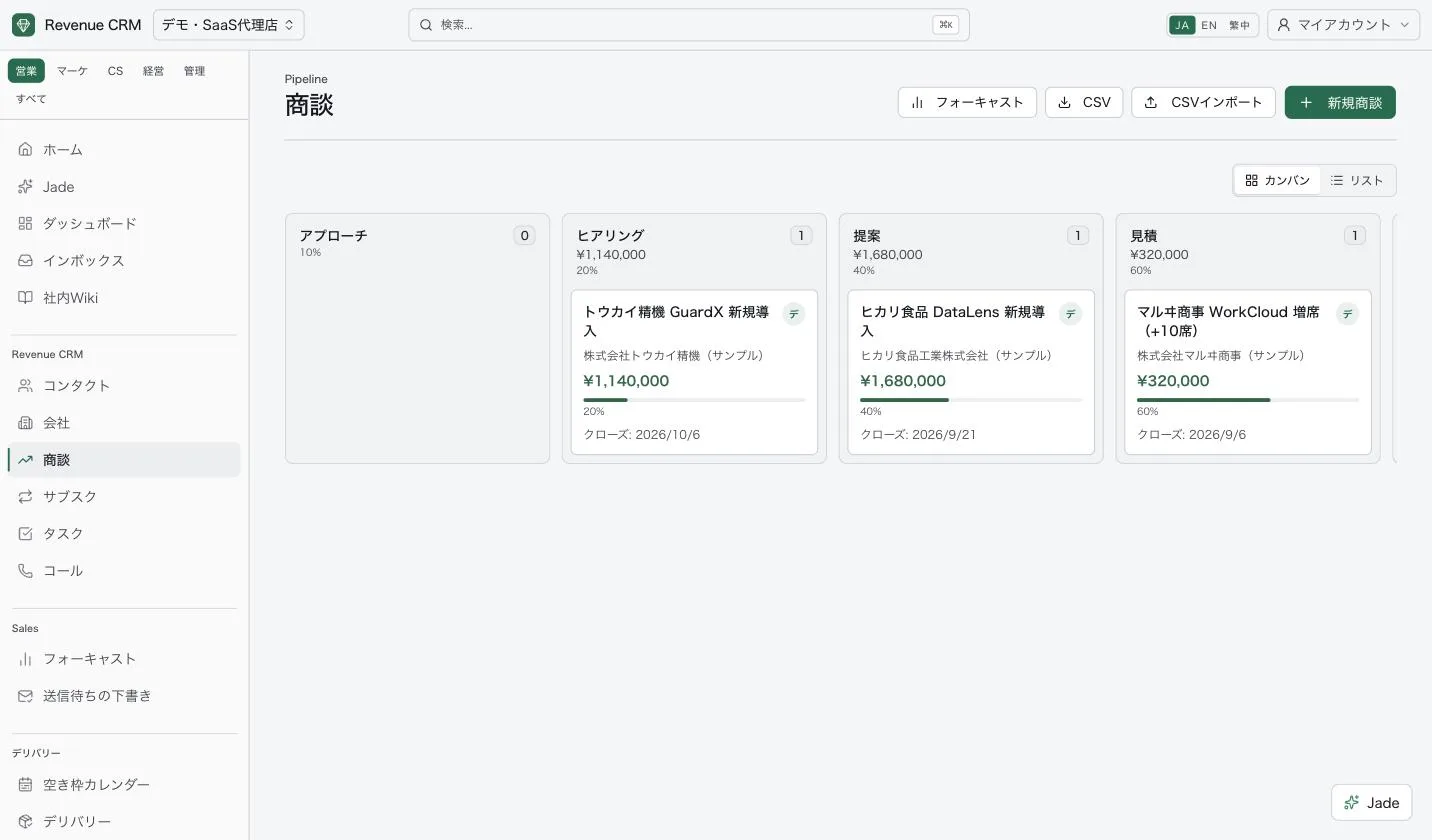
New deployments and extra seats or licenses in the same pipeline, with amounts and counts by stage.
Renewal engine
When you create this edition, the renewal automations are already on. Renewal date tracking, the 90-day approach, renewal deals, and churn signal detection run as a nightly job.
Automations create tasks, notifications, and drafts. Nothing is sent to a customer on its own; the owner reviews it first.
AI
You do not have to build a report to find something out. Ask it the way you would say it, and it searches contract and deal data.
Contracts renewing soon, products with thin margins, customers whose activity has dropped. All checked on the spot.
What the AI drafts stays a draft. Nothing reaches a customer until the owner has checked and confirmed it.
Permissions
For contacts, companies, and deals, choose what each role can see: everything, the team, or only their own. Export rights are set separately, so viewing and taking the customer list out can be separated. An example setup:
Actions are logged, so you can trace who changed what, and when.
30 days free
An email address opens a demo workspace with sample data. No password to set. This edition starts with contracts, renewals, and recurring revenue already set up. Every plan comes with a 30-day free trial, no card required.