You find out after winning that you cannot staff it
Nobody checked who was free when the quote went out. Once it is won, there is no one to put on it.

Revenue CRM for agencies & contract work
Projects in a spreadsheet, capacity in the project manager’s head, quotes in a new file every time. This edition puts projects, quotes, capacity, and delivery in one place, so you can quote from when you can actually start.
The question is not “can we win it.”
It is “can we deliver it.”
So the center is the project. In this edition, deals are called projects, and one project carries the quote, the win, delivery, invoicing, and maintenance renewal.
In contract work, margin depends less on whether you won and more on who you put on it, and when. With capacity held per person and per week, you check when you can start before the quote goes out.
Maintenance contracts are revenue that continues after the win. Each has a renewal date, with a reminder before it comes up.
The problem
Nobody checked who was free when the quote went out. Once it is won, there is no one to put on it.
The workload outlook lives in the project manager’s head, so you cannot tell which work to pull forward and which to turn down.
Acceptance, invoicing, maintenance renewals. Once the excitement of the win fades, those steps belong to no one.
The screens
Screenshots show the Japanese interface. The product switches to English, Japanese, or Traditional Chinese in one click.
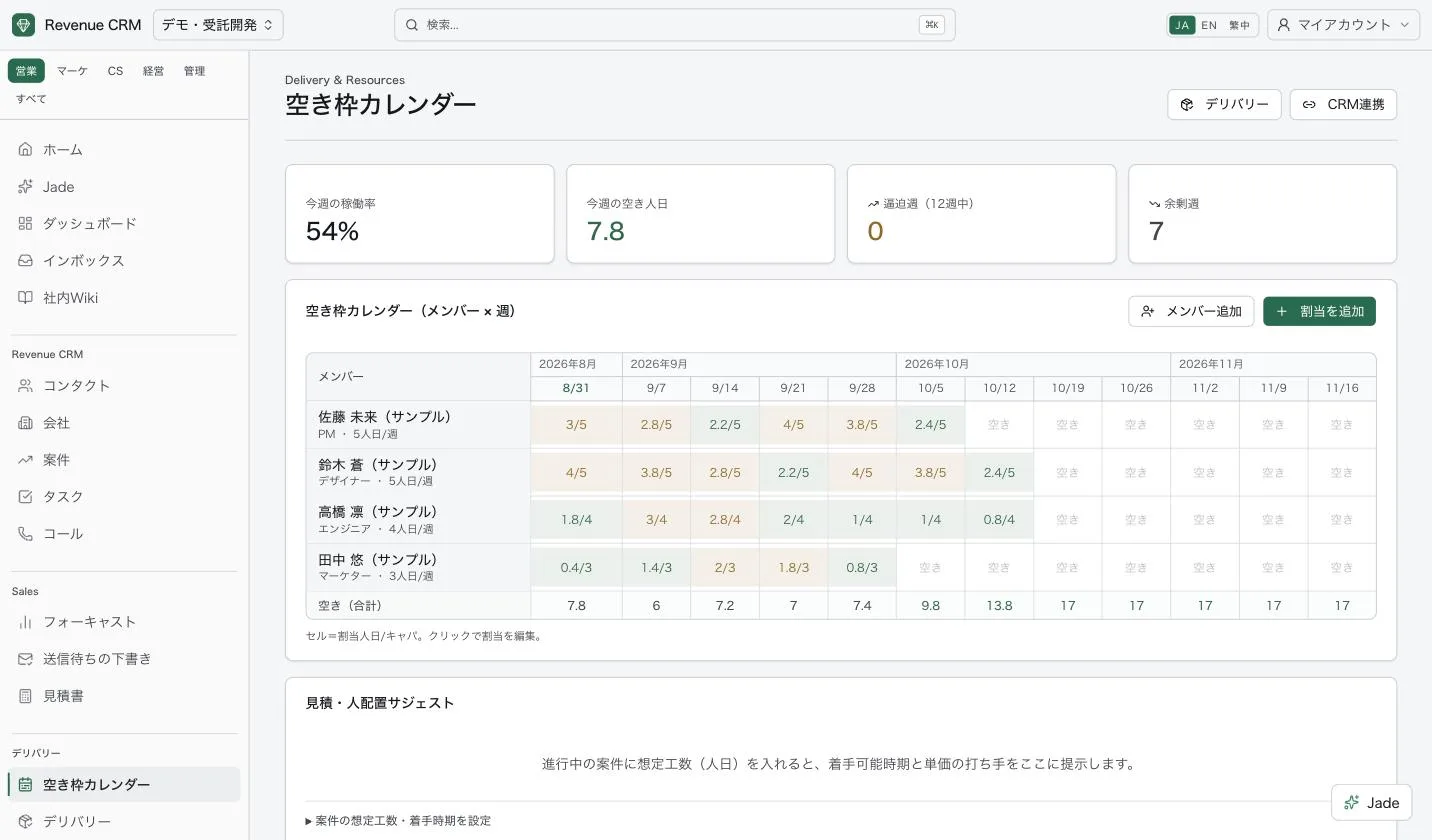
Assigned days against capacity, per person and per week. Who frees up when, in numbers rather than guesses.
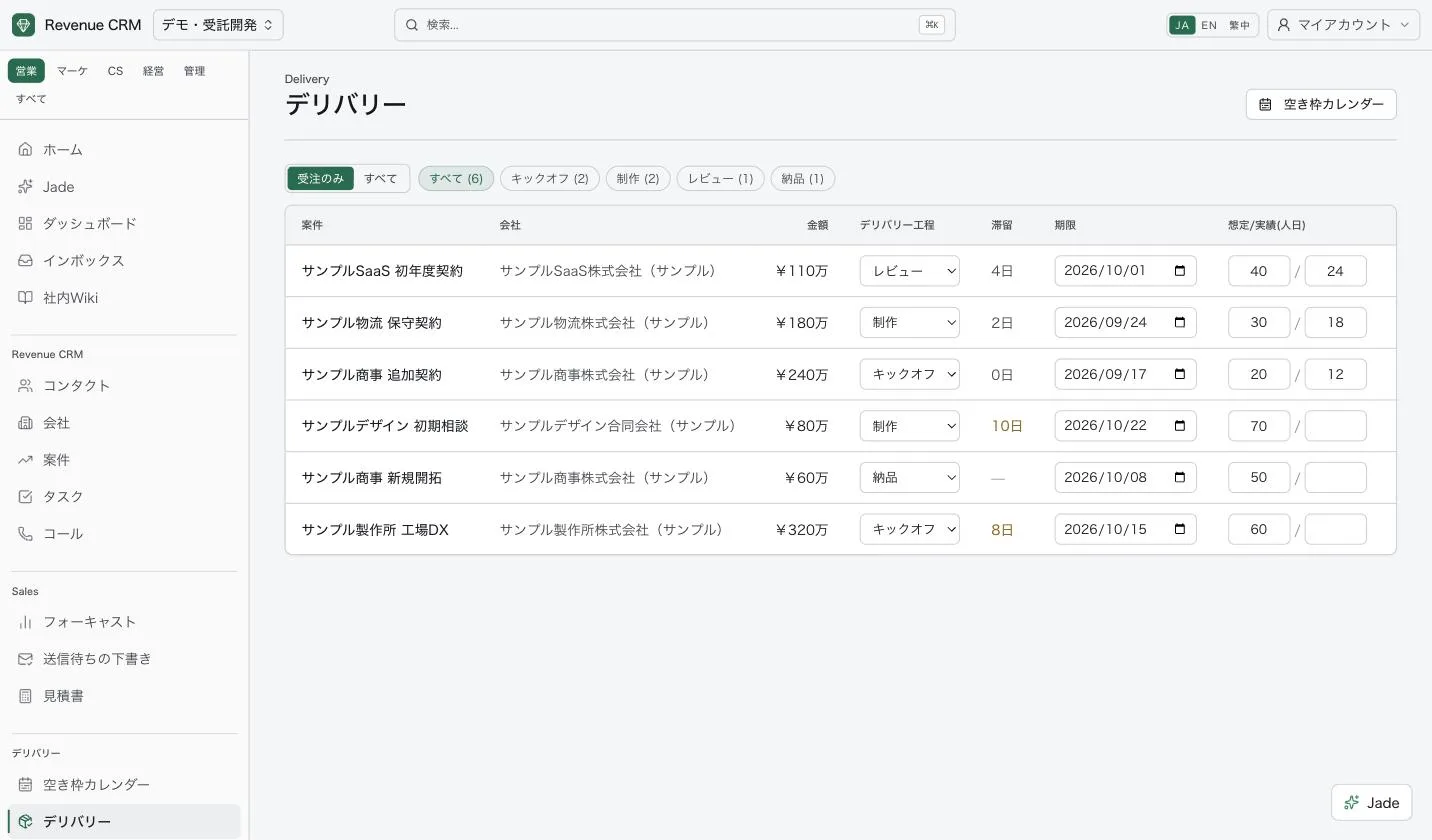
Kickoff, build, review, and handover stages per project, with days in stage, due dates, and planned versus actual person-days on one row.
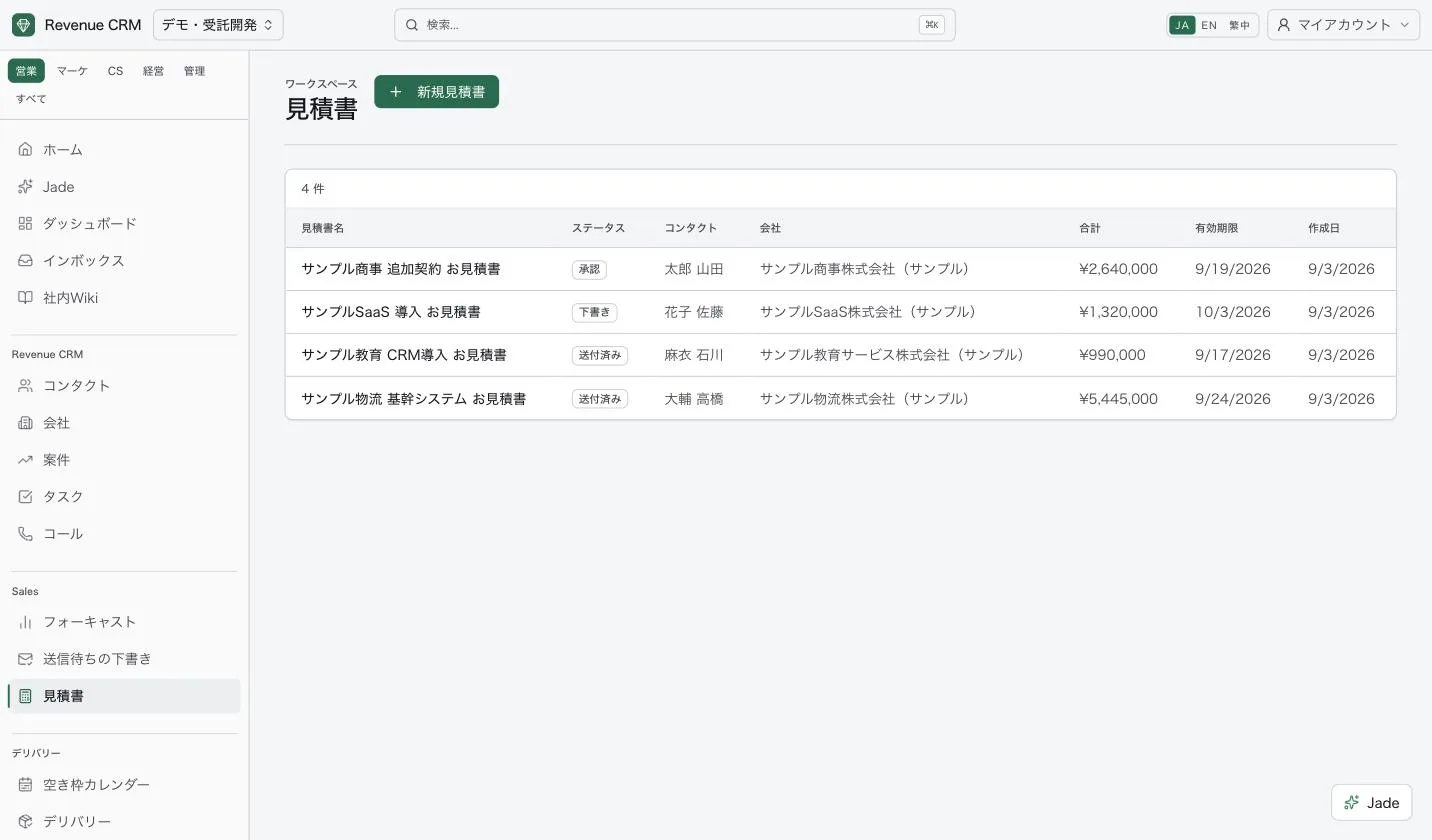
Draft, sent, and approved, tracked by status. Line items build up as person-days times rate.
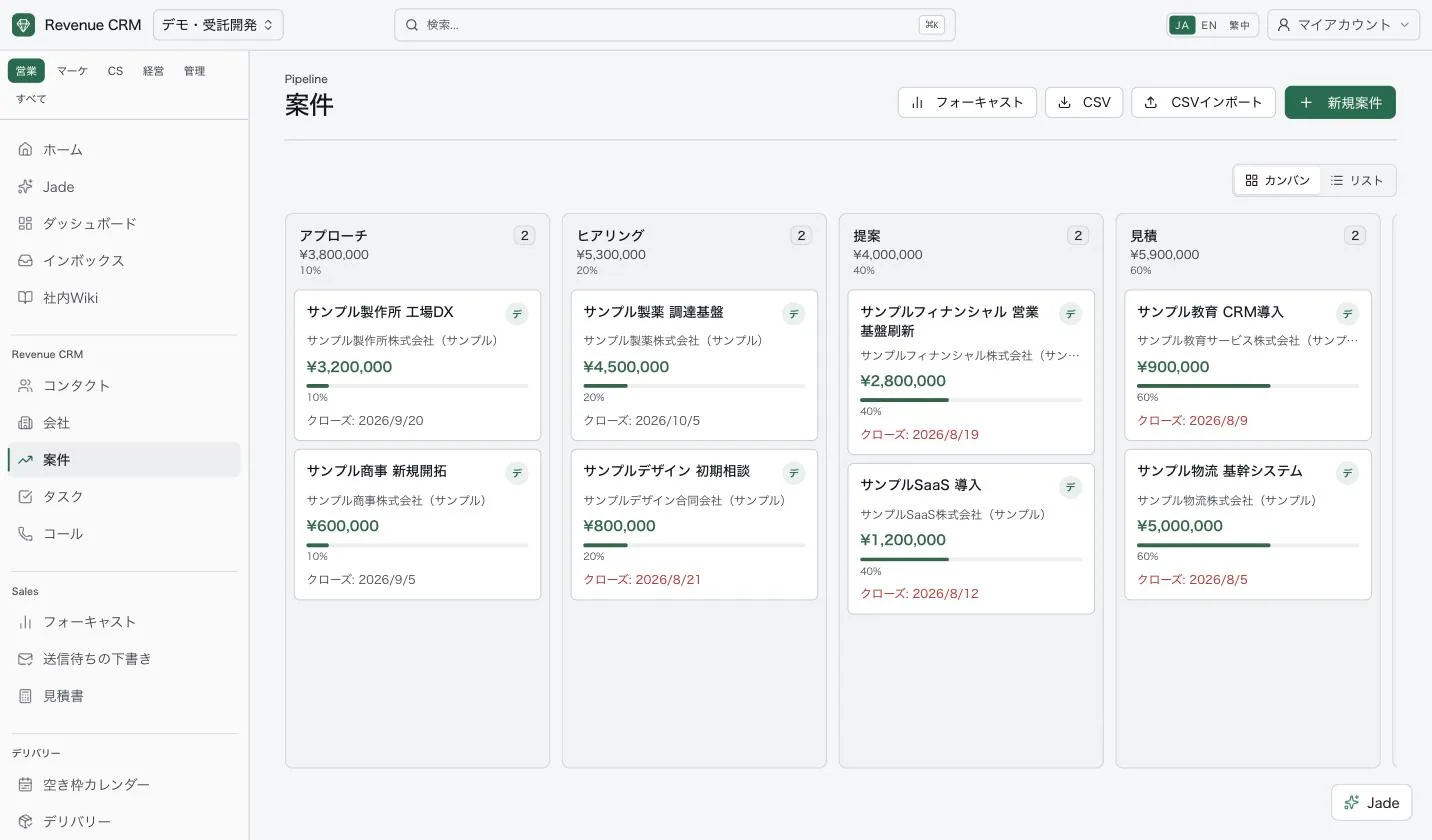
Called projects, not deals. Amounts and counts by stage, from first contact to quote.
Project engine
When you create this edition, the project automations are already on. They create tasks from quote requests, catch stalled projects, start the steps after a win, and track maintenance renewals, as a nightly job.
Automations create tasks, notifications, and drafts. Nothing is sent to a customer on its own; the owner reviews it first.
AI
You do not have to build a report to find something out. Ask it the way you would say it, and it searches project and capacity data.
Free capacity next month, projects near their due date, stalled work, maintenance renewals coming up. All checked on the spot.
What the AI drafts stays a draft. Nothing reaches a customer until the owner has checked and confirmed it.
Permissions
For contacts, companies, and projects, choose what each role can see: everything, the team, or only their own. Partner staff can be limited to their own projects, and export rights are set separately. An example setup:
Actions are logged, so you can trace who changed what, and when.
30 days free
An email address opens a demo workspace with sample data. No password to set. This edition starts with projects, quotes, capacity, and delivery already set up. Every plan comes with a 30-day free trial, no card required.